
Always test before relying on it.
- Log into the explorer with one signer (e.g.,
mysafe1) - Go to the transfer tool by clicking on Wallet in the top menu bar
- Click the account drop down top right and make sure the multisig mode is enabled
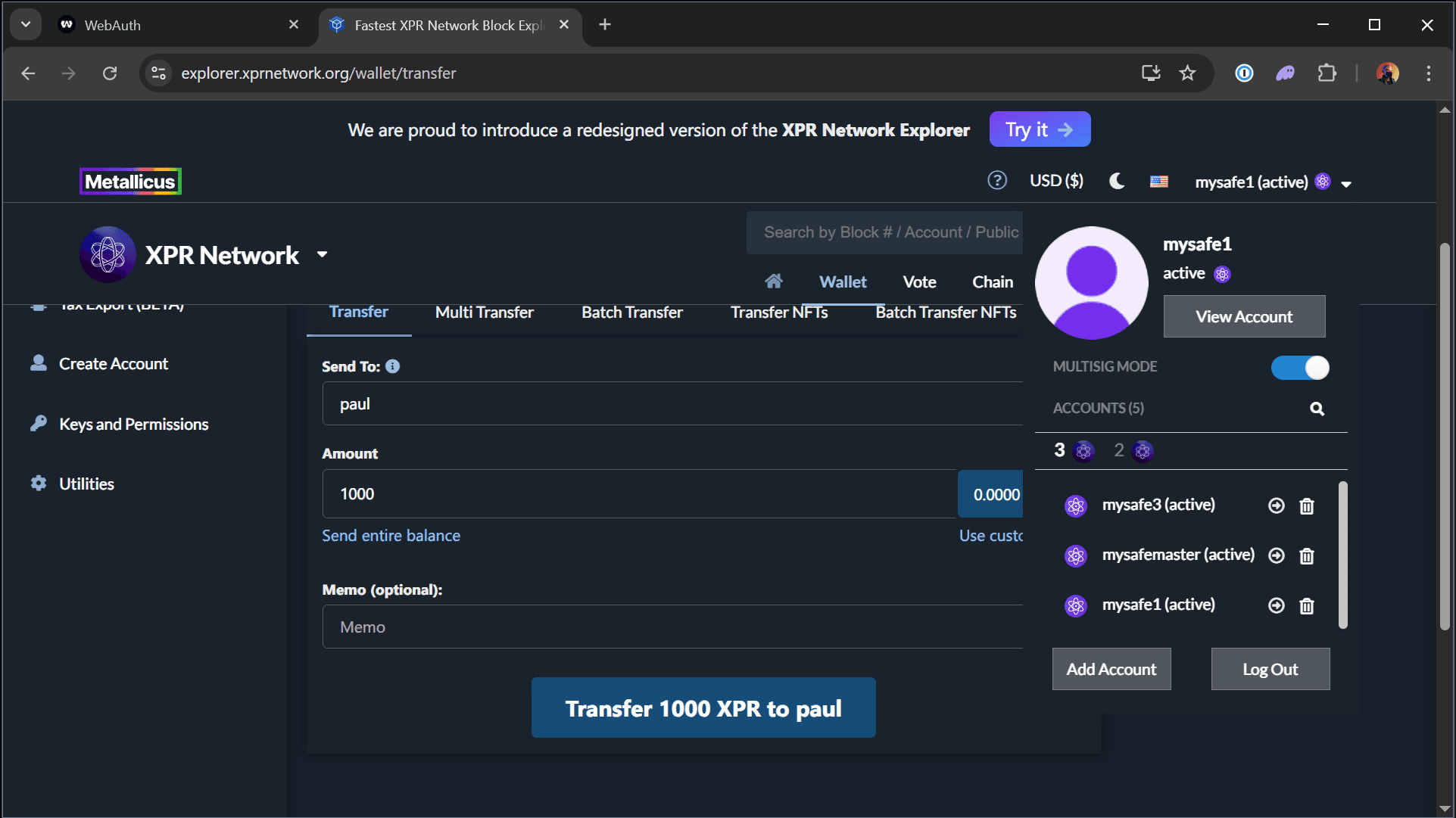
- Choose the token and enter an amount to transfer then click Transfer, it will take you to msig mode
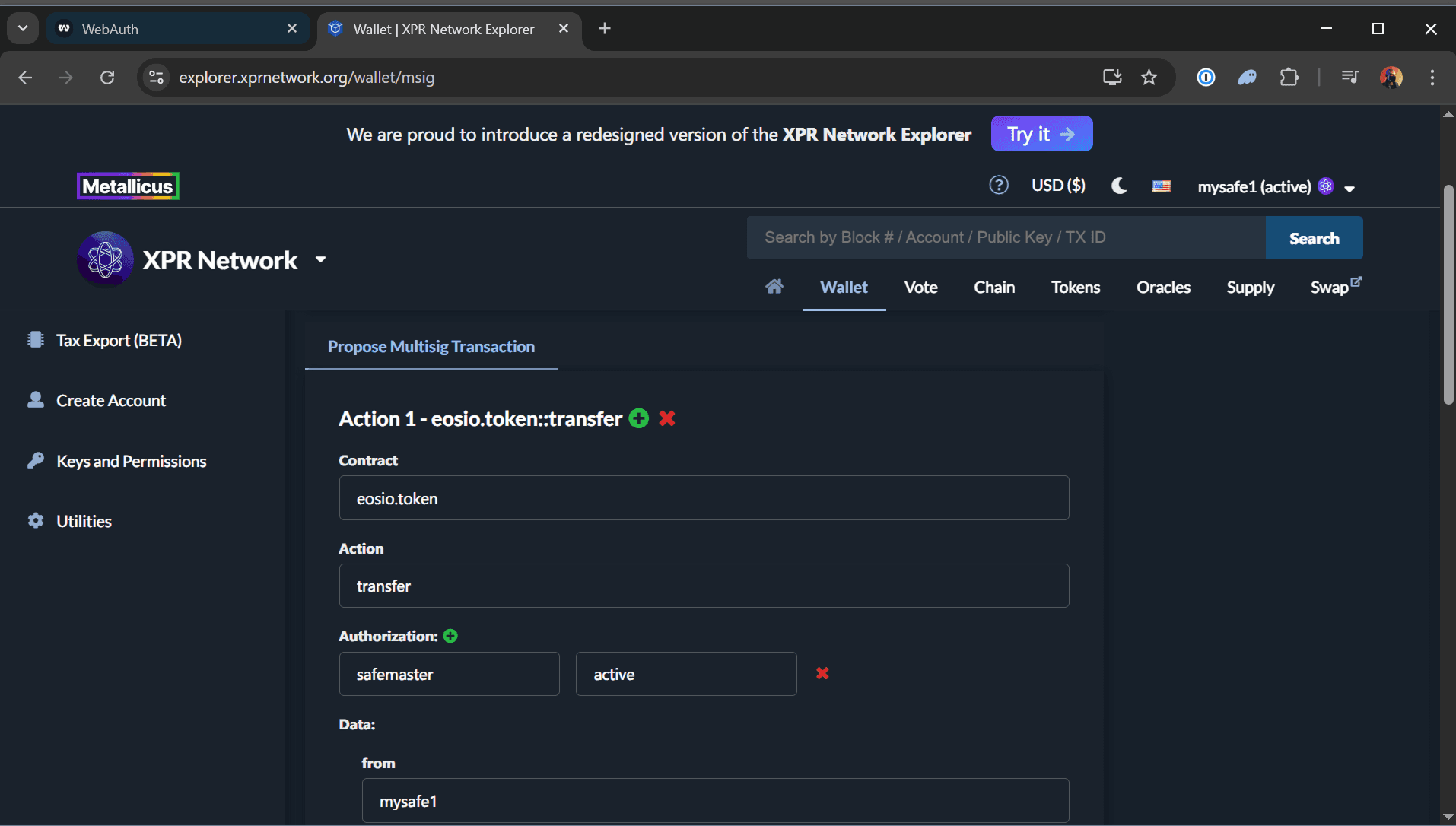
- Under Authorization, in the 'actor' field; enter the master account
safemasterand for the 'permission' field; enteractive - Under Data, change the 'from' field to the master account
safemaster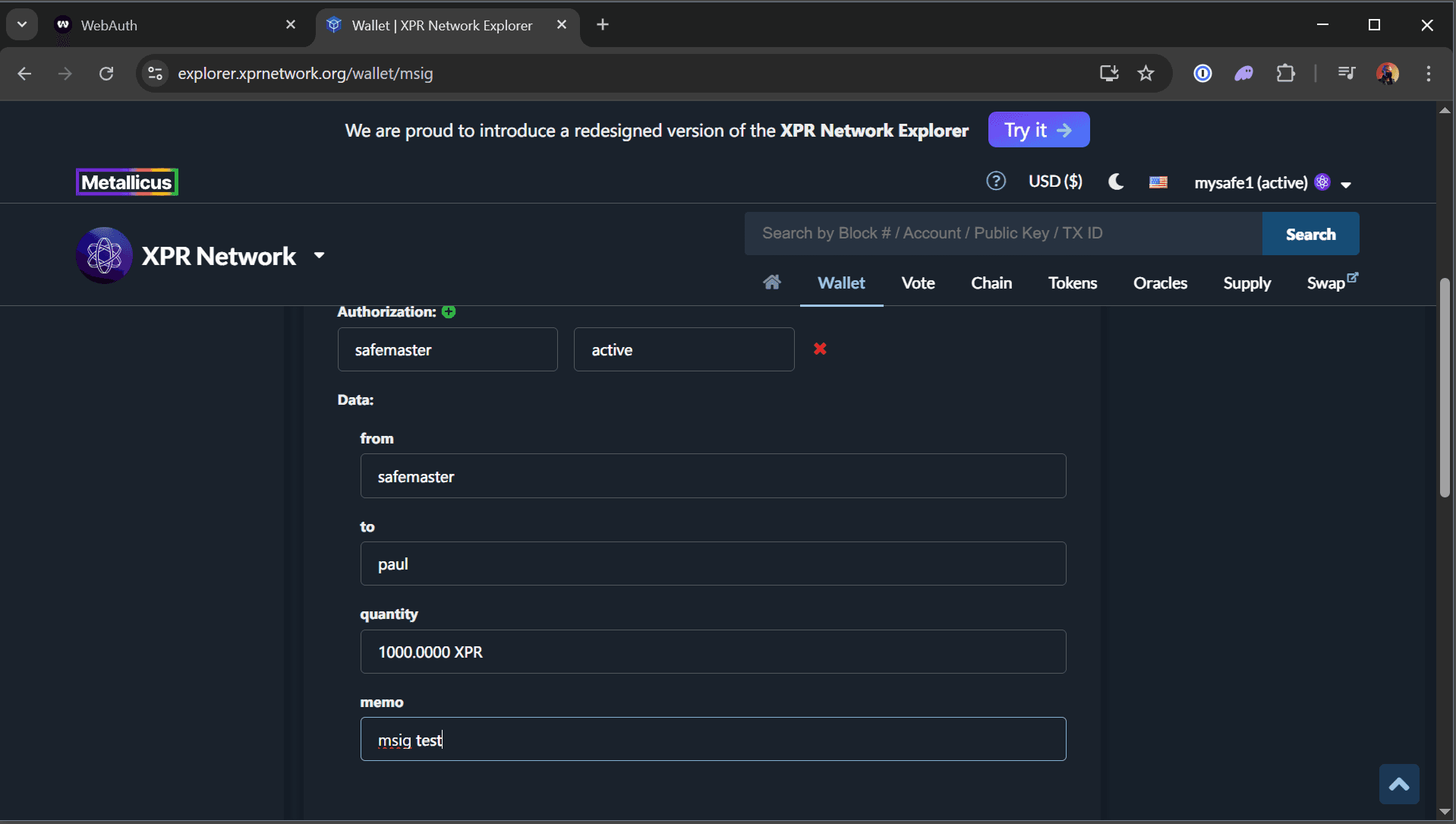
- Ensure the 'to' and 'quantity' fields are accurate
- Type a 'Proposal Name' or simply leave it as random
- Under Requested Approvals, press the green circle + button so that you have three fields (if these are automatically filled out, jump to step 11)
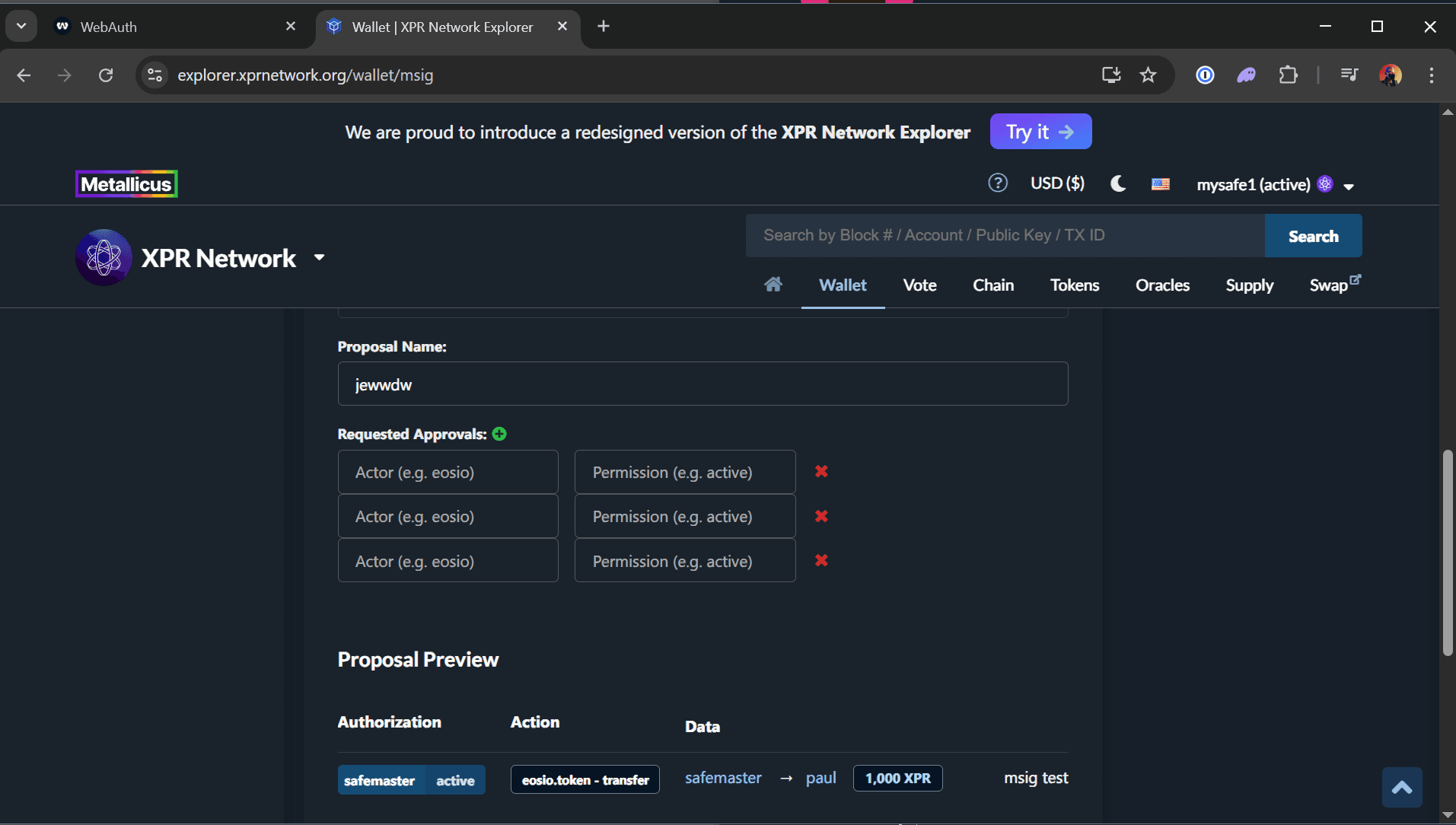
- Enter the three signers
mysafe1mysafe2mysafe3, one in each Actor field and set the Permission to be active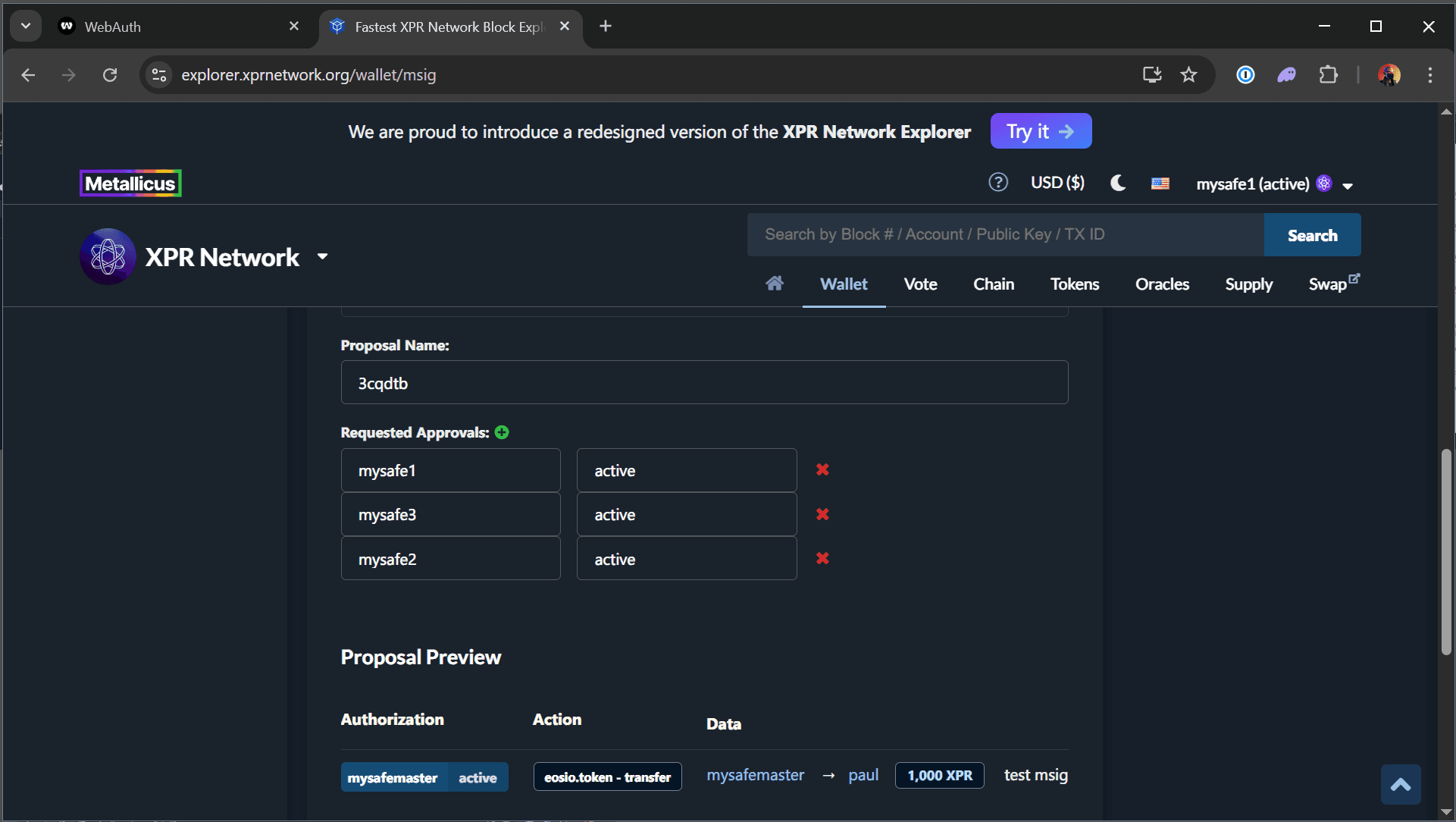
- Click Propose button at the bottom of the page and authorize the transaction with your
mysafe1YubiKey.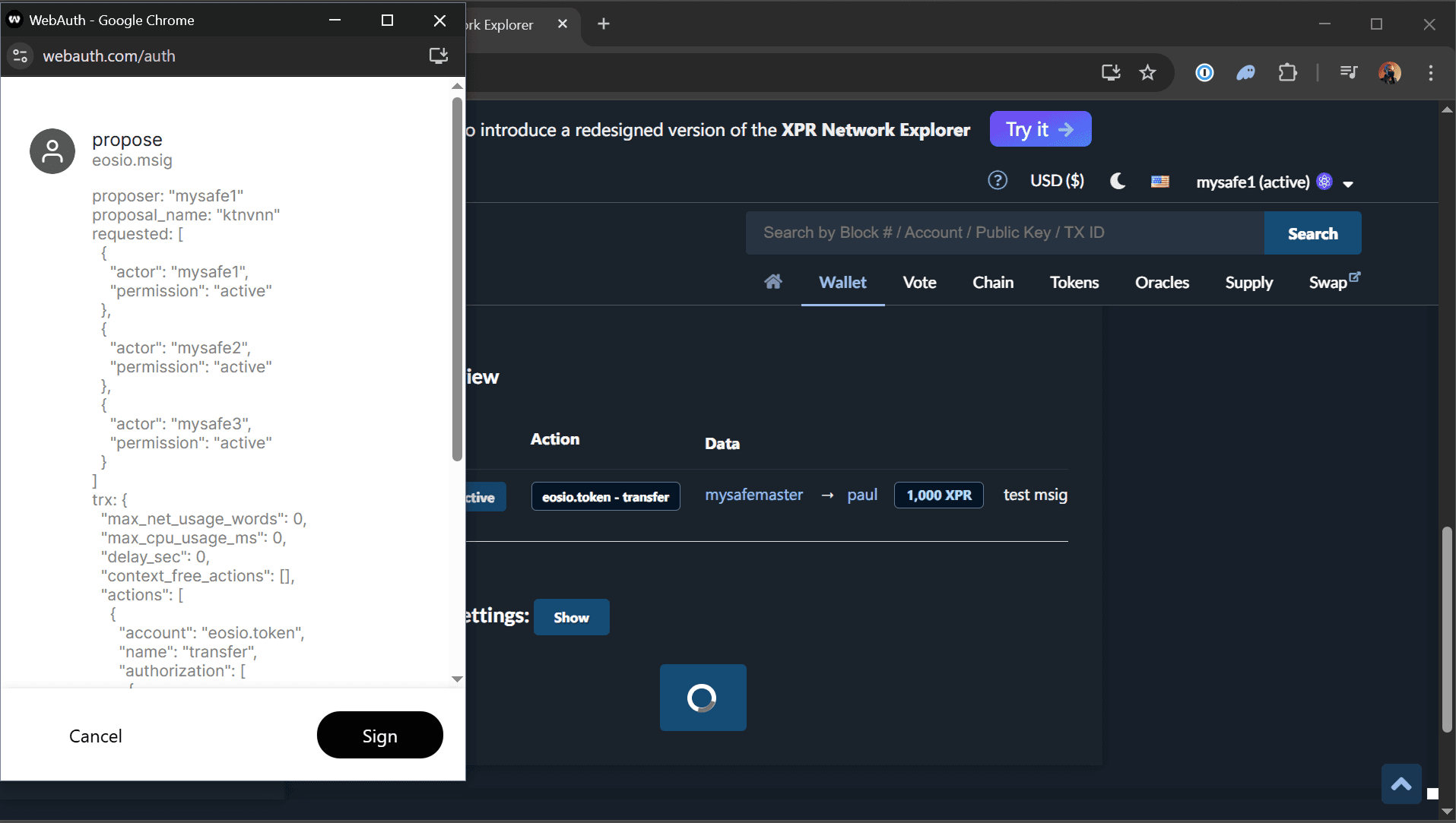
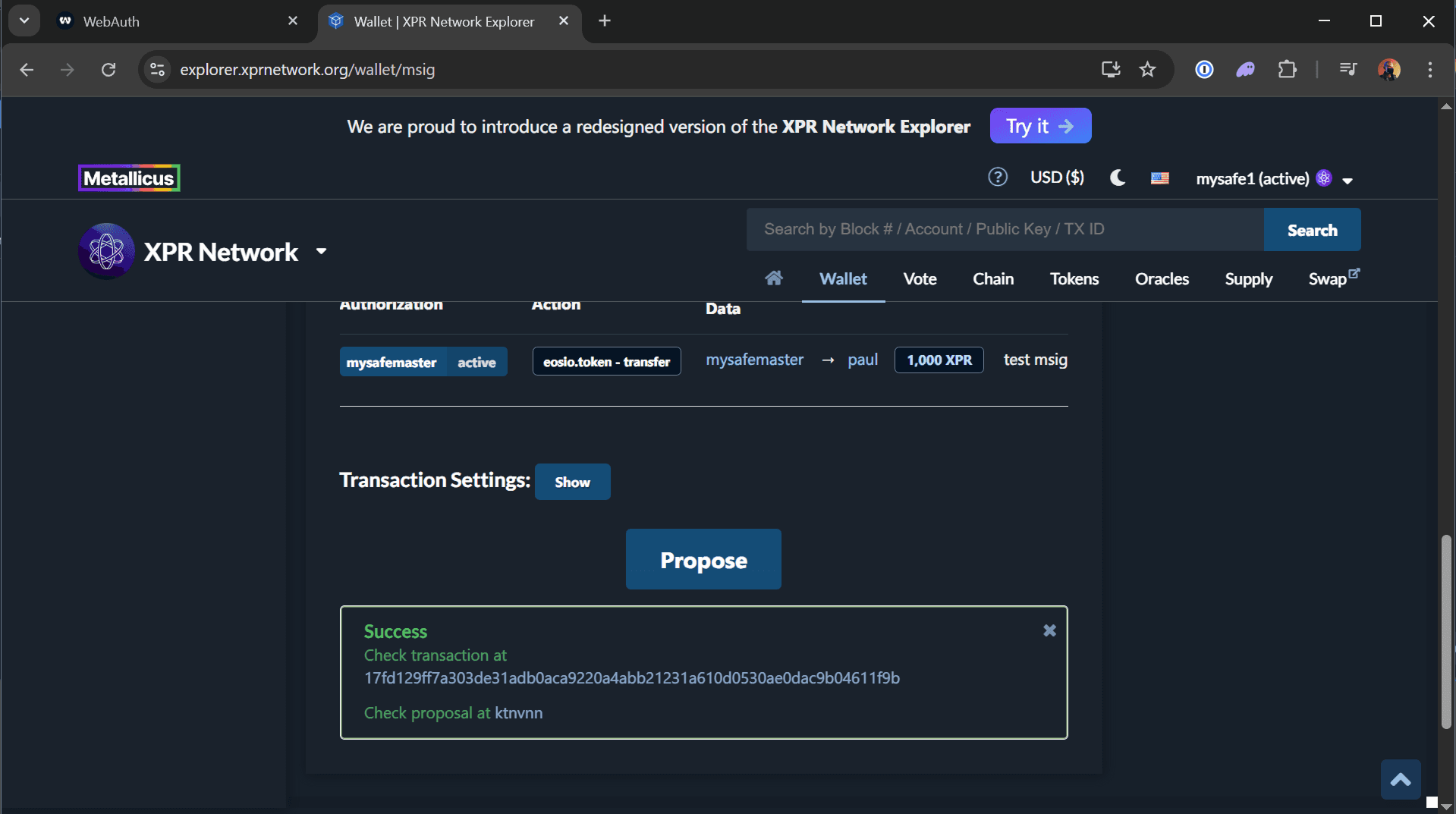
- Below the Successful Transaction message, you will be given a link to your msig, click that.
- Click the account drop down top right and make sure the multisig mode is disabled
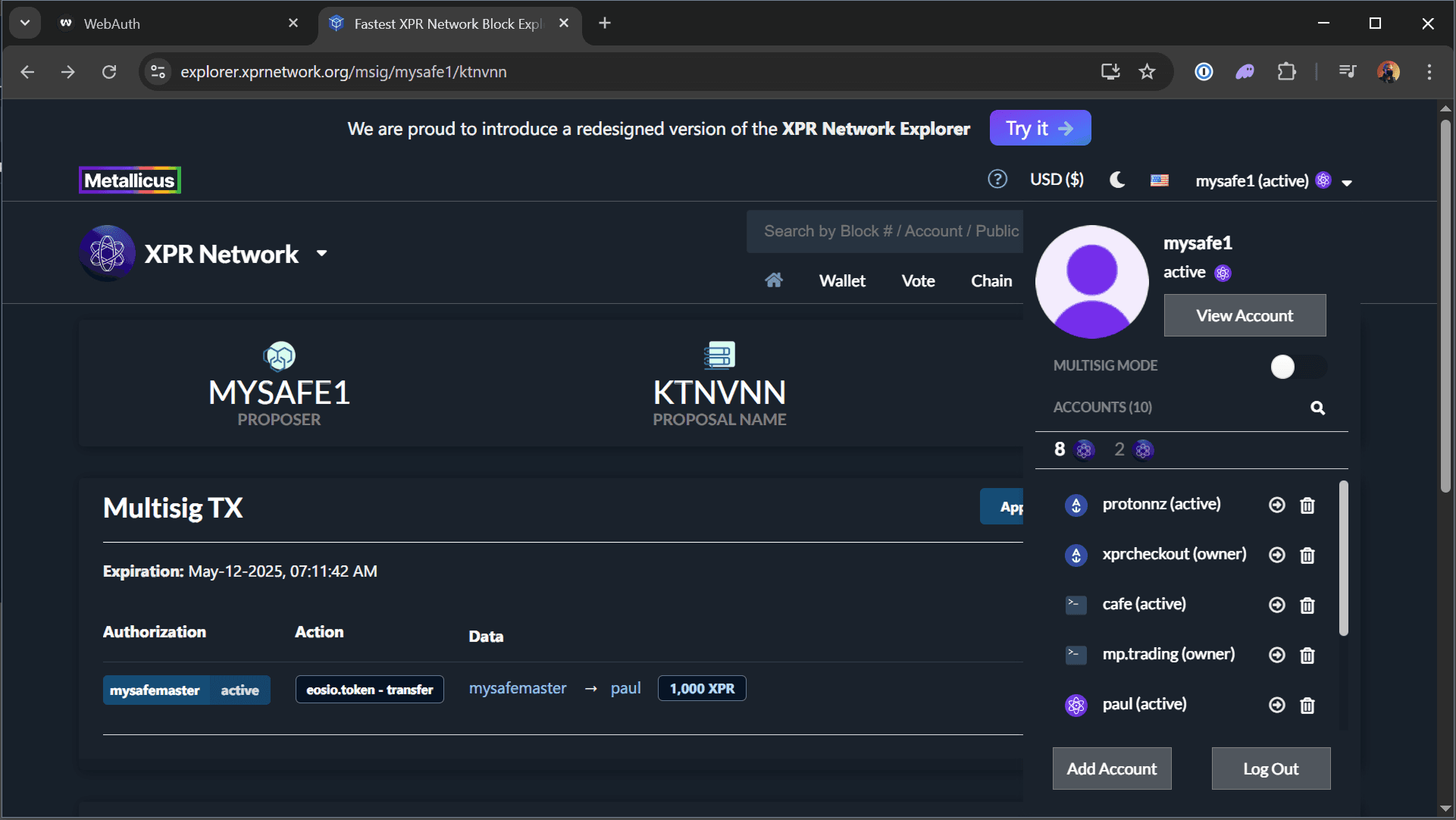
- As one of your signer accounts eg
mysafe1, click on Approve and sign the transaction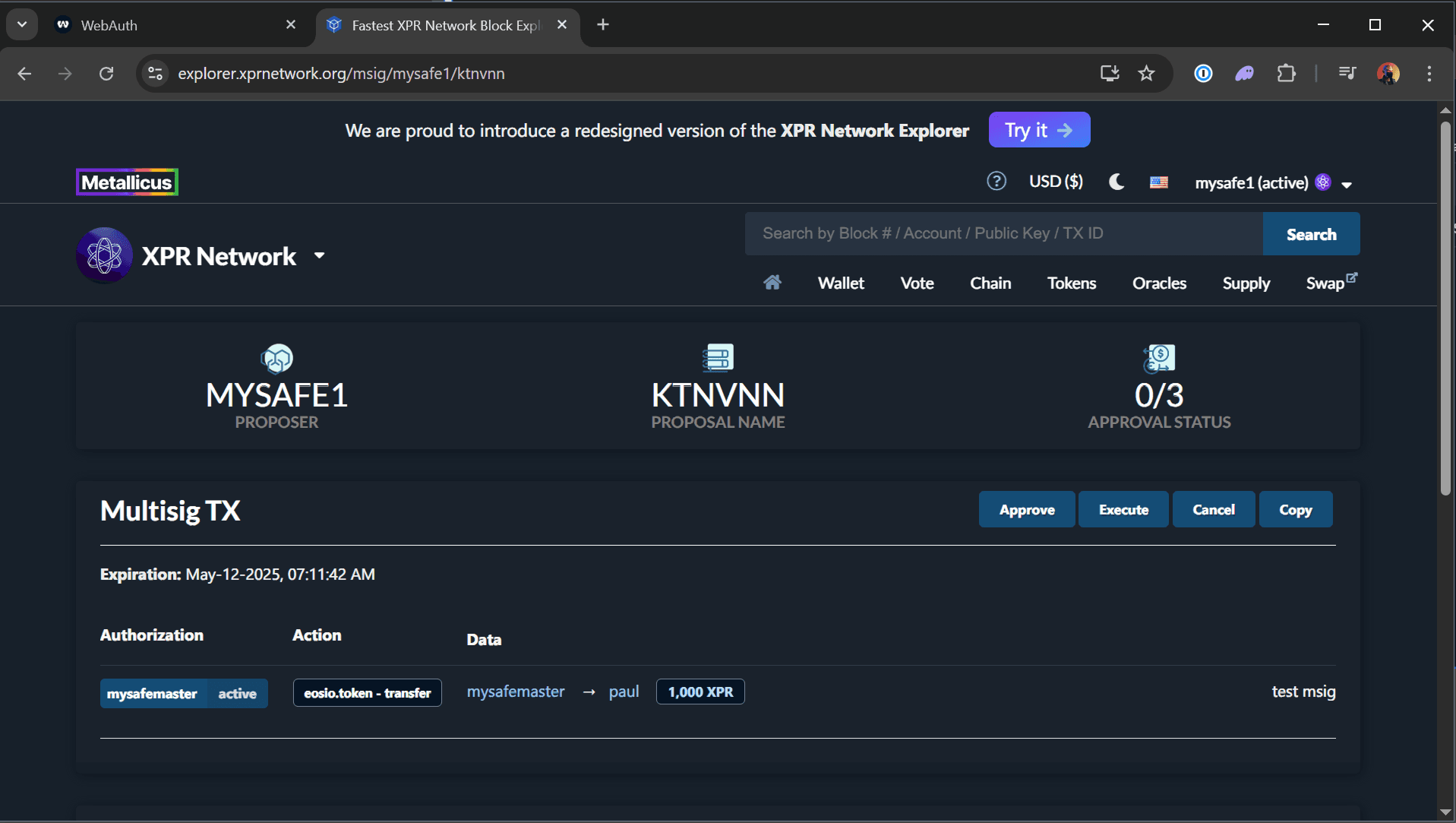
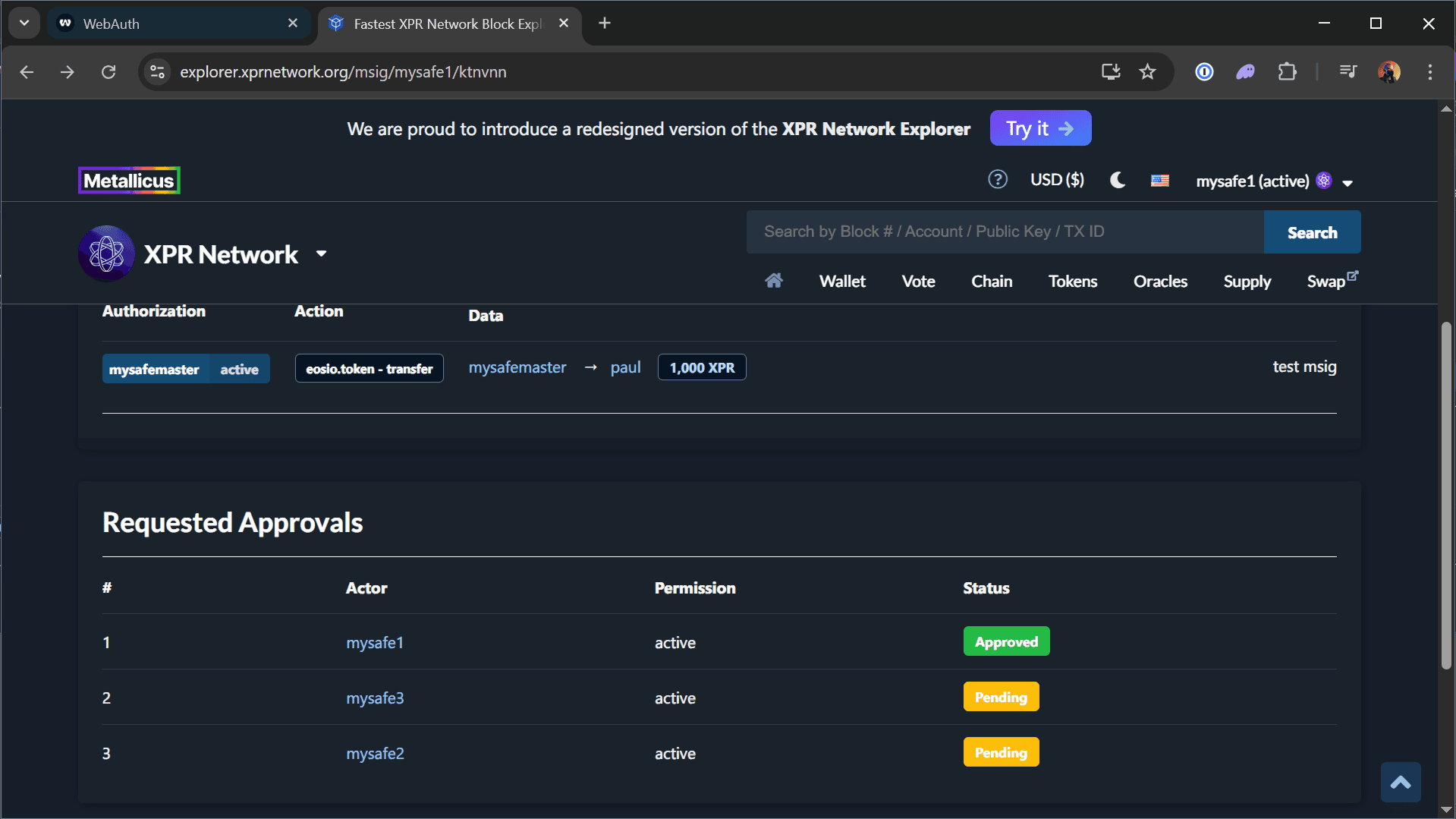
- You will see that one of the Requested Approvals on your msig has been Approved
- Log into a second signer (e.g.,
mysafe2) and approve the transaction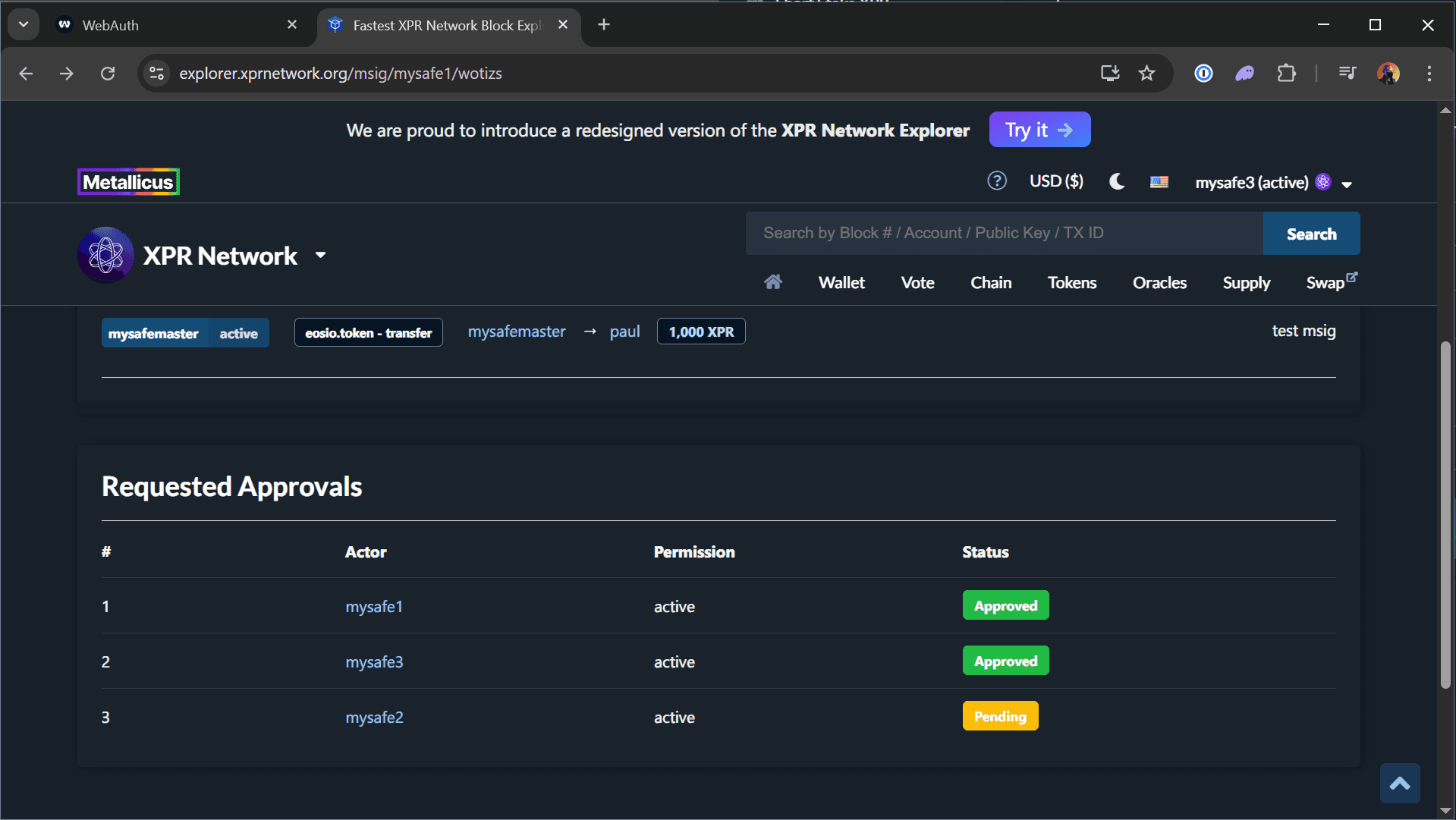
- Once two approvals are in, you can click the Execute button and sign the transaction
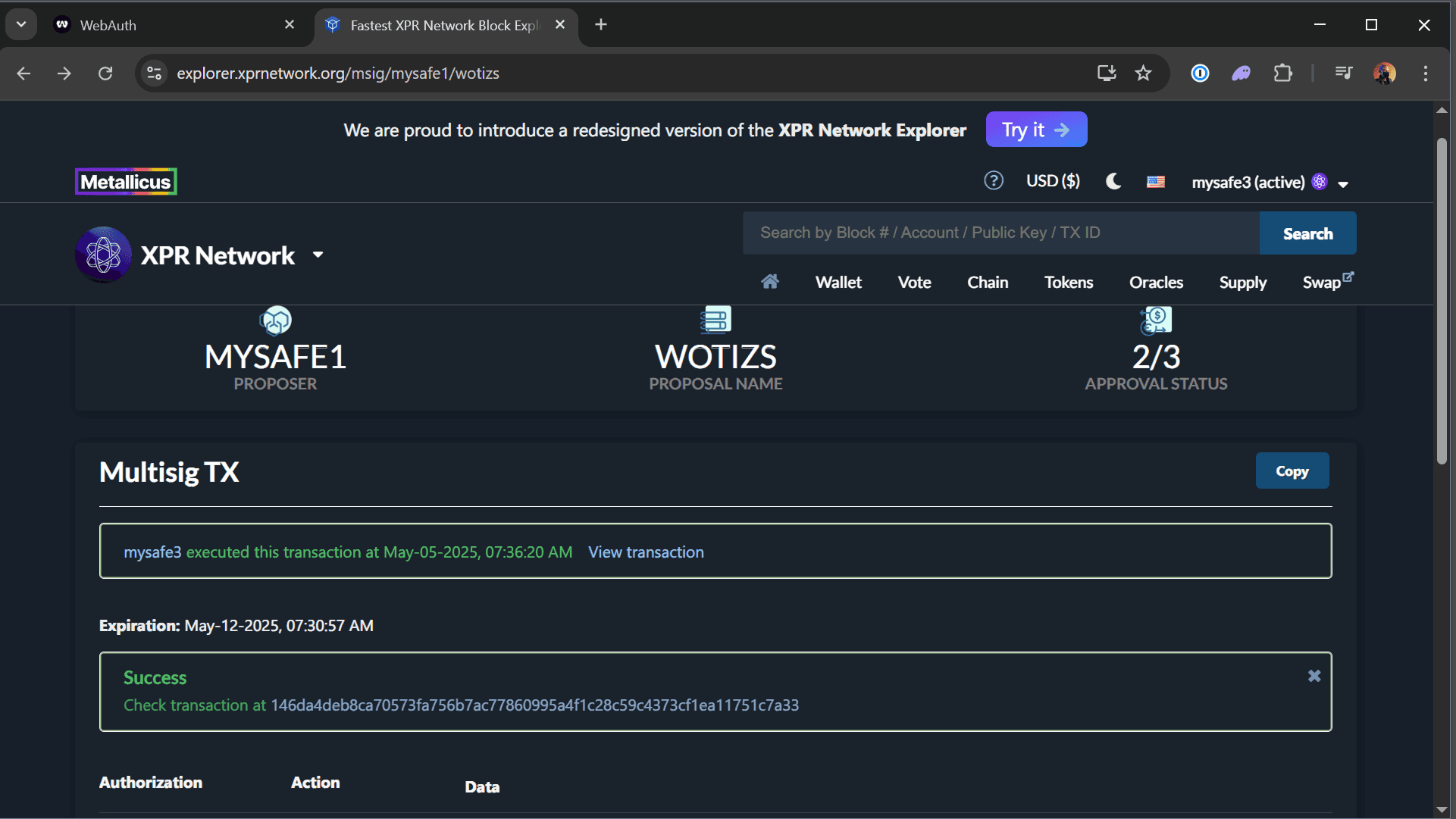
- Transaction is complete and you can move on to Securing the Owner Permission (Final Step)
If the transaction only executes after two signers approve, your vault is working exactly as intended. Try it for yourself, try to Approve the msig with only one signer and click Execute… you will get an error message like "assertion failure with message: transaction authorization failed" in red text instead of the Transaction Successful message in green.
Securing the Owner Permission (Final Step)
Even after securing your active permission with multisig, your account is still vulnerable if someone has access to your owner seed phrase or private key. The owner permission can override everything… including your multisig.
On XPR Network each account has two permission levels.
ownerandactive.
activepermission is like the user level permissions on an operating systemownerpermission is like the root level admin account on an operating systemBecause
ownerpermission is the parent ofactivepermission, it can overwrite any child permissions. We must apply the same msig setup to theownerpermission that we did to theactivepermission so that even if someone finds your seed phrase for this account they cannot complete any action unless 2-of-3 signers Approve the transaction.
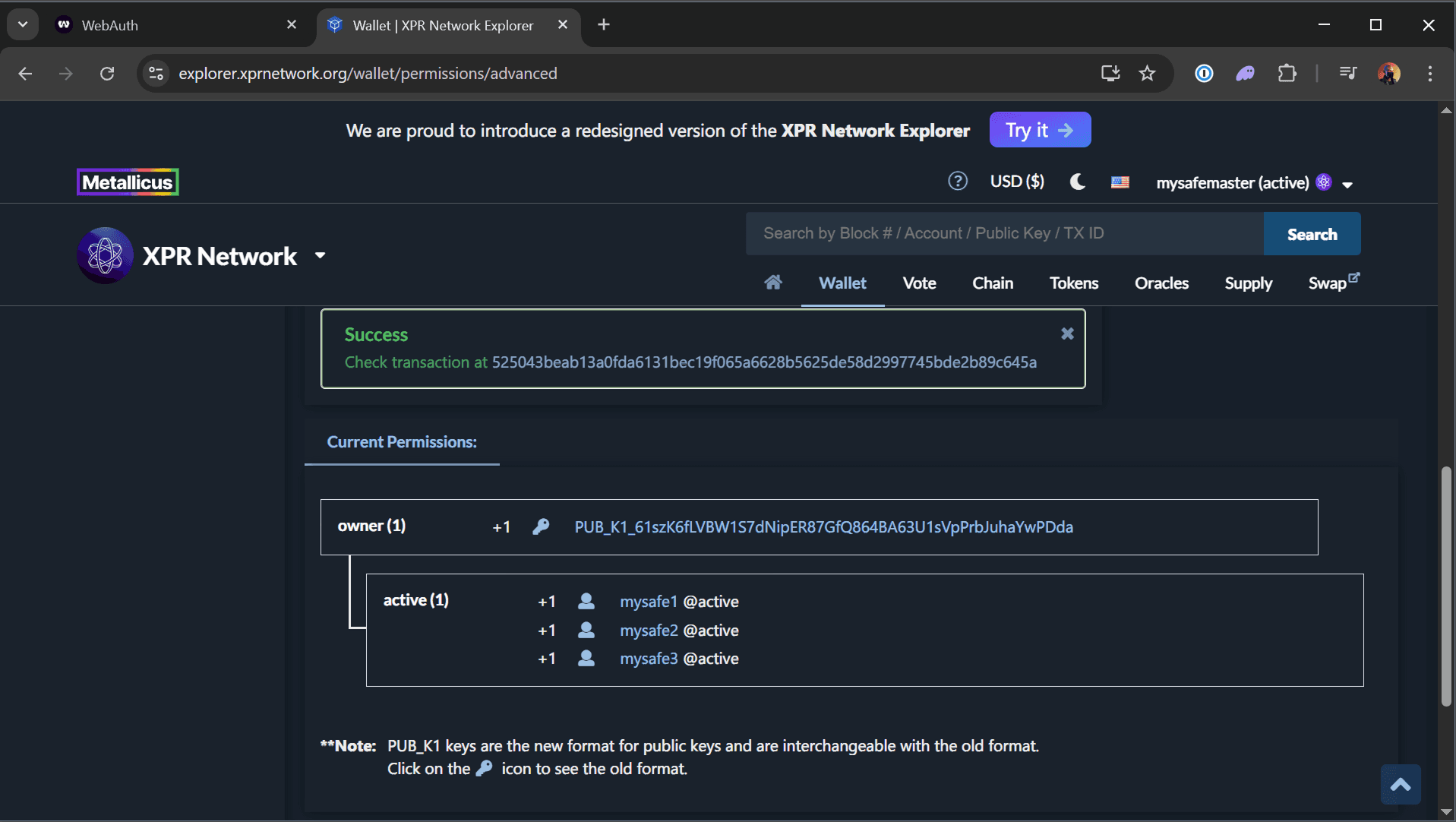
To fully lock down your account, you should replace the single-key owner permission with the same 2-of-3 multisig structure.
If you have any questions about this guide or just want to say “Hi”, follow our Metallicus Client Services Help Center on X (@MetalHelpsMe) to stay up to date and learn how to get the most out of your XPR Network experience!
Comments
0 comments
Article is closed for comments.